
Loading page…
Documents and processes
Customer support in one place: tickets, conversations, SLA, knowledge base and client portal.
Problem
Requests arrive by email, phone and messages, are split across inboxes, and nobody knows how many are open, who is handling them or which have breached the deadline. The client calls to ask about their request while the agent digs through emails for the history.
The same questions are answered over and over, response speed and satisfaction are not measured, and management has no view of the team’s workload.
Solution
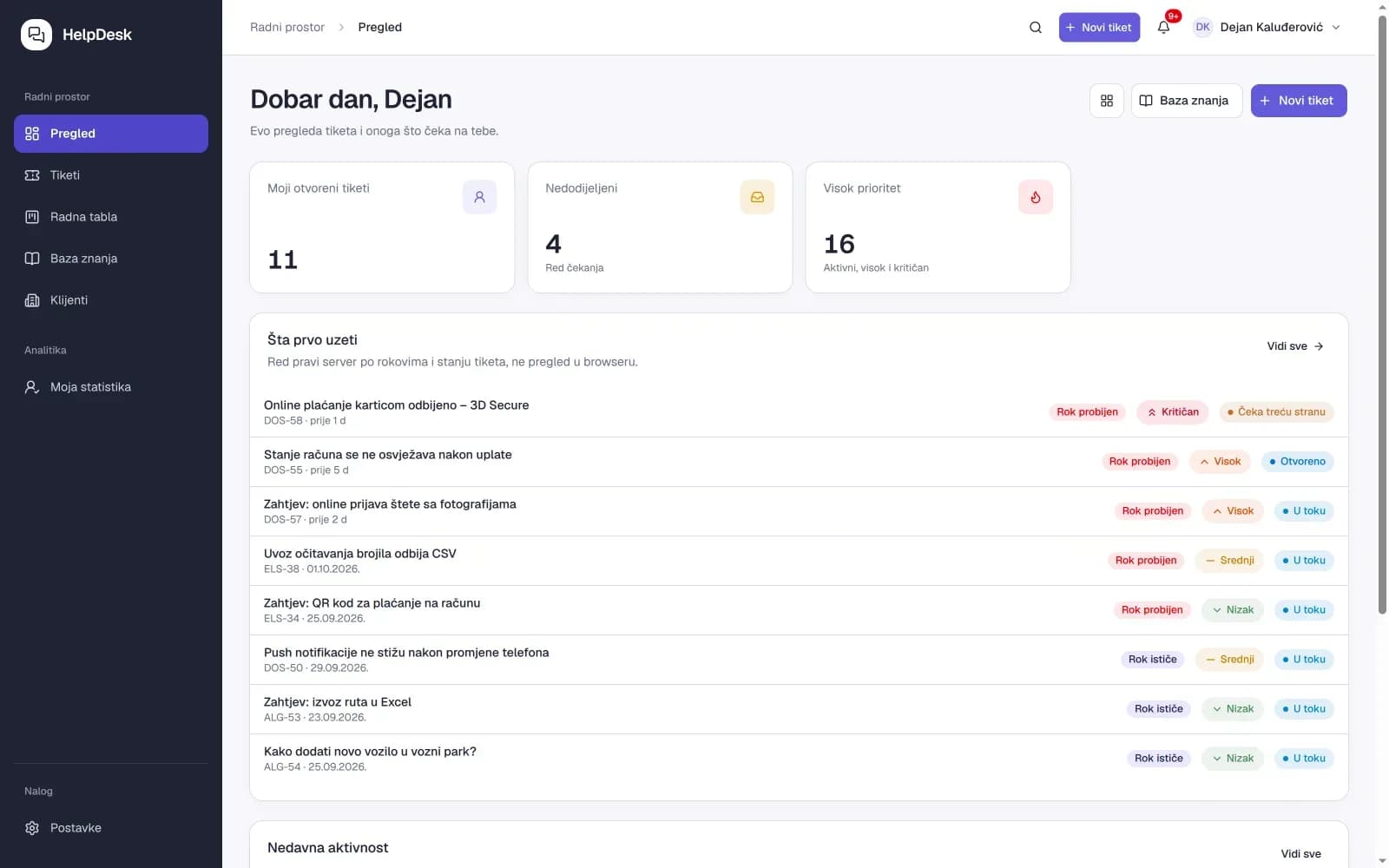
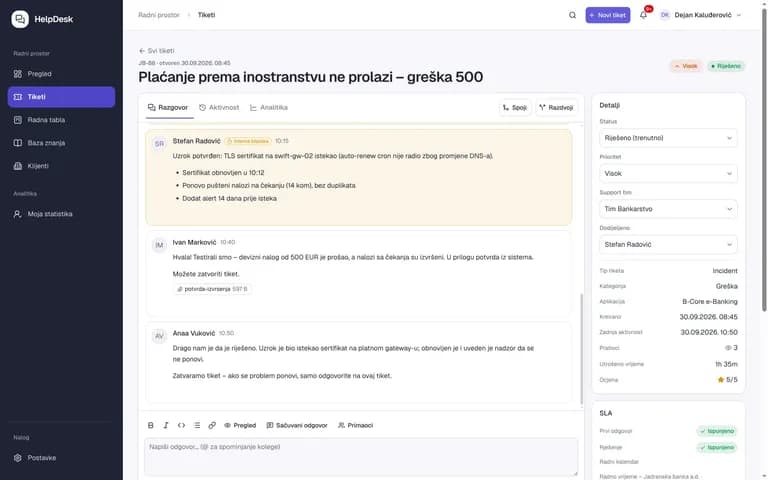
HelpDesk turns every request into a ticket with a category, priority, assigned agent and SLA deadlines for first response and resolution. Agents work from the dashboard and the kanban board, converse with the client and leave internal notes, while the ticket moves through statuses from new to resolved and closed.
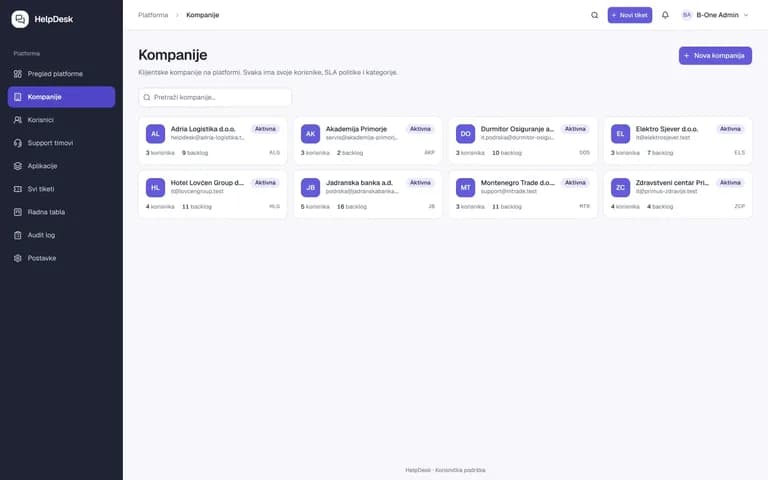
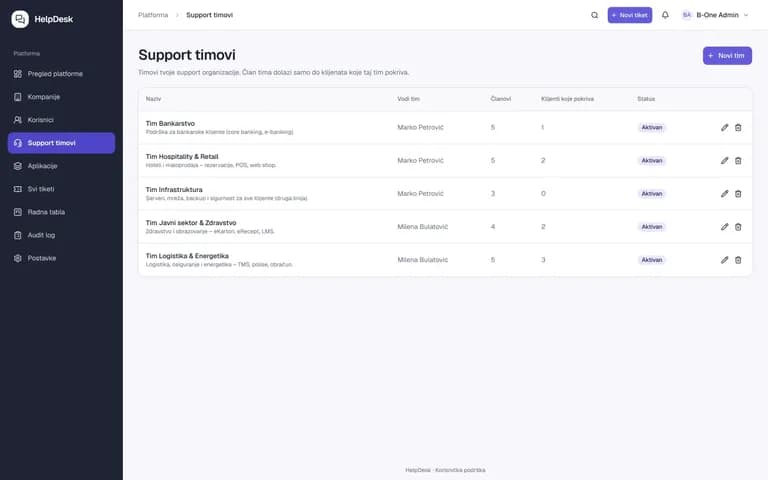
Clients submit and track requests through the portal and find guides and answers in the knowledge base. Platform administration manages companies, support teams, SLA policies and users, while reports show volume, response speed, SLA compliance and satisfaction scores.
Modules
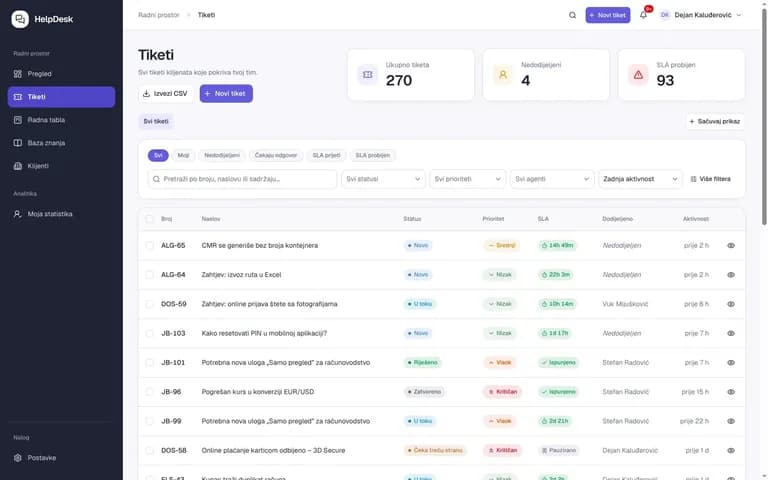
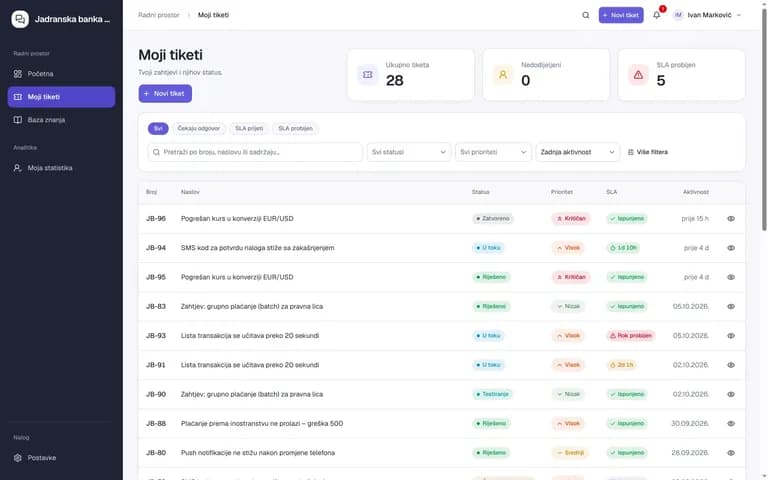
Number, category, priority, status, assigned agent, first-response and resolution deadlines, filters and CSV export.
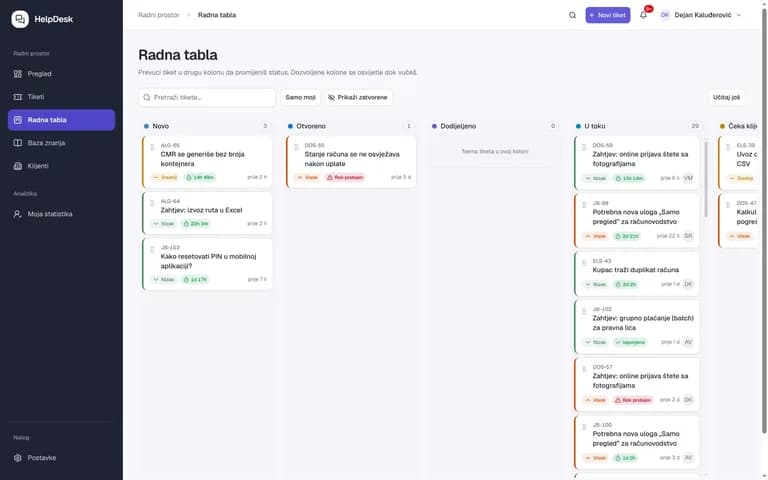
Kanban view of tickets by status: new, open, assigned, in progress, waiting on client, resolved.
Replies to the client and notes for the team on the same ticket, attachments, saved replies, activity history.
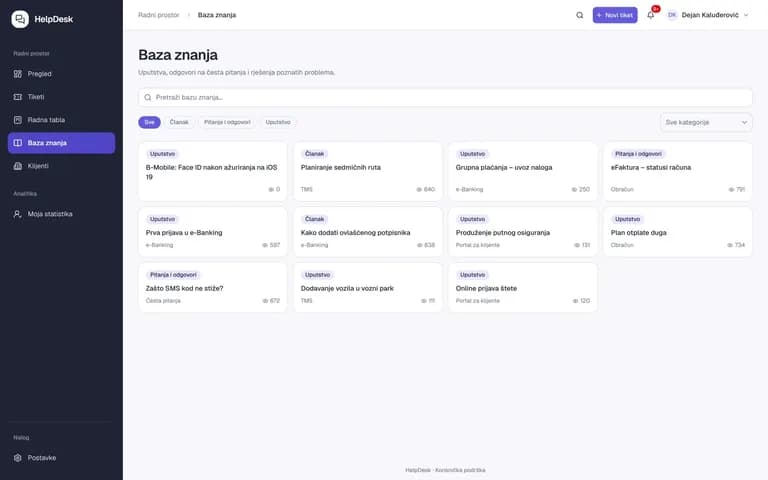
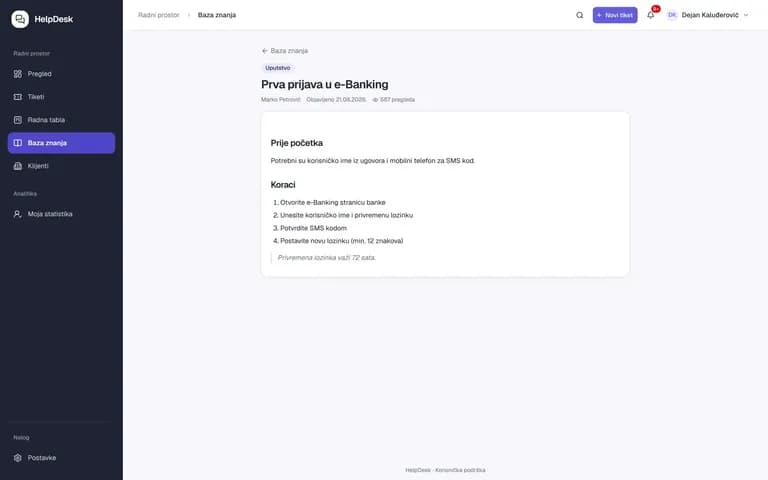
Guides, articles and Q&A by category – for agents and for clients.
Clients submit requests, track status and SLA, see their tickets and the knowledge base.
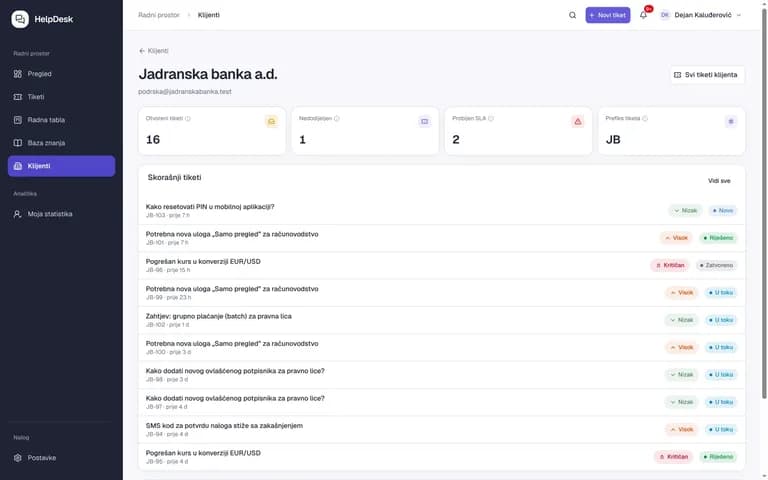
Client organisation profile: contacts, open tickets, SLA policy, category, history.
Teams by area (banking, infrastructure, logistics…), members, covered clients and ticket routing.
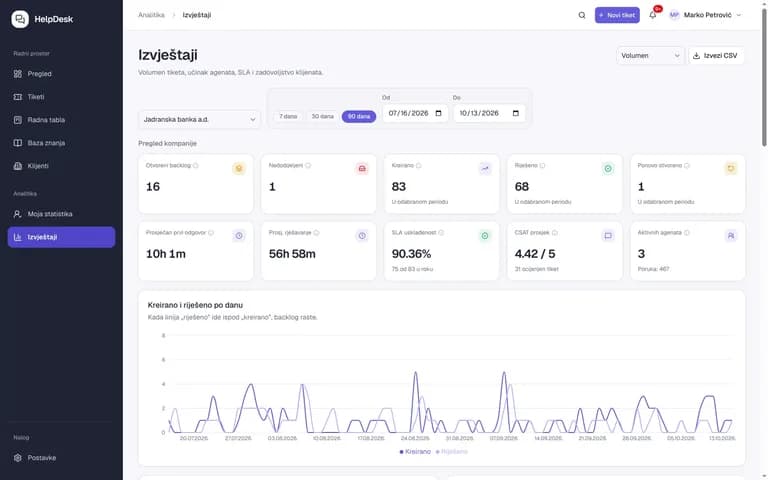
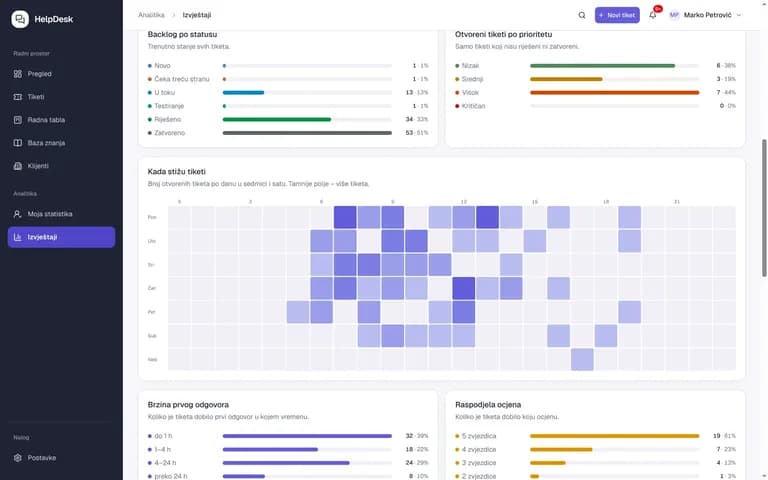
Volume, backlog by status, intake heatmap, first-response speed, SLA compliance, satisfaction scores, per company and agent.
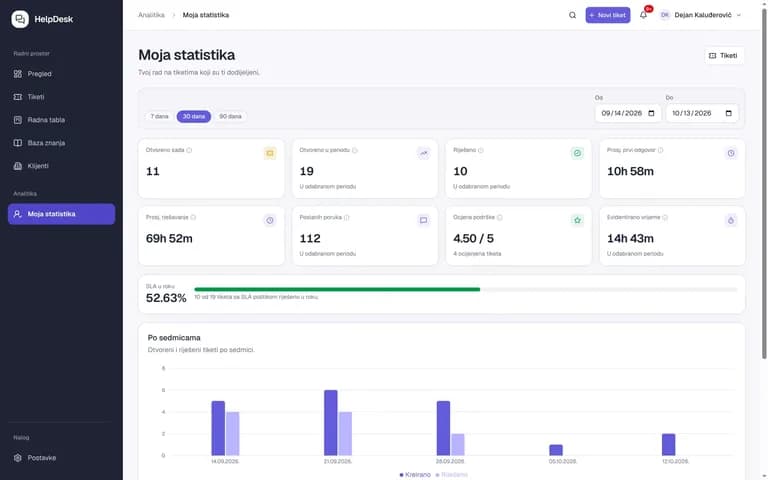
Agents see their open and resolved tickets, average response time, rating and SLA performance.
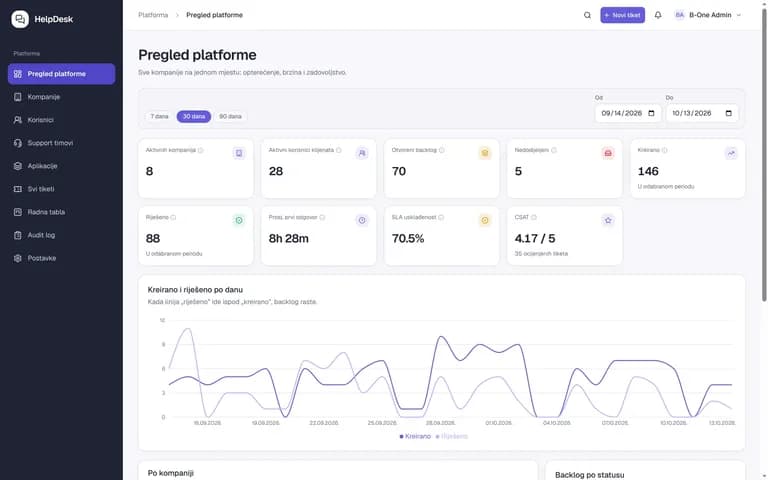
Multiple companies on one platform, users and roles, SLA policies, applications, audit log and settings.
How it works
The client submits a request via the portal or email; a ticket with a number and SLA deadline is created.
The ticket is routed to the right support team and agent, with category and priority.
Client conversation, internal notes, knowledge base and SLA tracking.
The client confirms the resolution and rates the support; data feeds the reports.
Screenshots
Cloud or on-premise
All B-ONE products run in the cloud or on your own infrastructure and are database-independent.
SLA policies
First-response and resolution deadlines per priority and company
Audit log
Trail of every change on tickets and in administration
GDPR
Roles and access rights, client data separated per company
Questions and answers
Both. The same system handles external client requests (client portal, multiple companies) and internal employee requests such as IT support.
First-response and resolution deadlines are defined per company and priority. The ticket shows remaining time, and reports show SLA compliance per team and agent.
Yes. The platform is multi-company: each company has its own clients, teams, SLA policy and reports, while platform administration sees the whole.
Requests can also arrive by email without an account. The client portal with ticket overview, status and knowledge base requires sign-in.
Solutions
Products
Digital Process Platform: e-registry, cases, documents, workflows and e-archive in one place – with AI OCR and compliance with administrative procedure law.
A web platform for reporting and tracking the resolution of citizens’ utility problems.
Business processes and robotic process automation (RPA) in one platform: BPMN 2.0 engine, forms, decisions, integration hub, tasks, monitoring and robots – one installation, no coding for typical processes.
Industries: Banks and microfinance Business: retail, construction and services Hotels and health tourism Energy Government, judiciary and agencies
Book a 30-minute demo with one of our experts. No obligation, using your own example.